
Need to scan to or print from a USB drive? Adam's video is here to show you the settings you need to change on your Canon imageRUNNER Advance series device.
Memory Media Settings
0E81-0CK
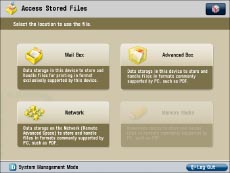
You can restrict the storing of files to memory media and the printing of files from memory media.
If [Use Print Function] is set to 'Off':
1
Press  (Settings/Registration).
(Settings/Registration).2
Press [Function Settings] → [Store/Access Files] → [Memory Media Settings].
3
Press [Use Scan/Print Function].
4
Select [Off] for the items to restrict → press [OK].
Select [On] if you do not want to restrict an item.